 Faber
GitHub
Git and pull requests
The right inspector has a rail of tabs: Files, Search, Changes, Pull Requests, History and Issues.
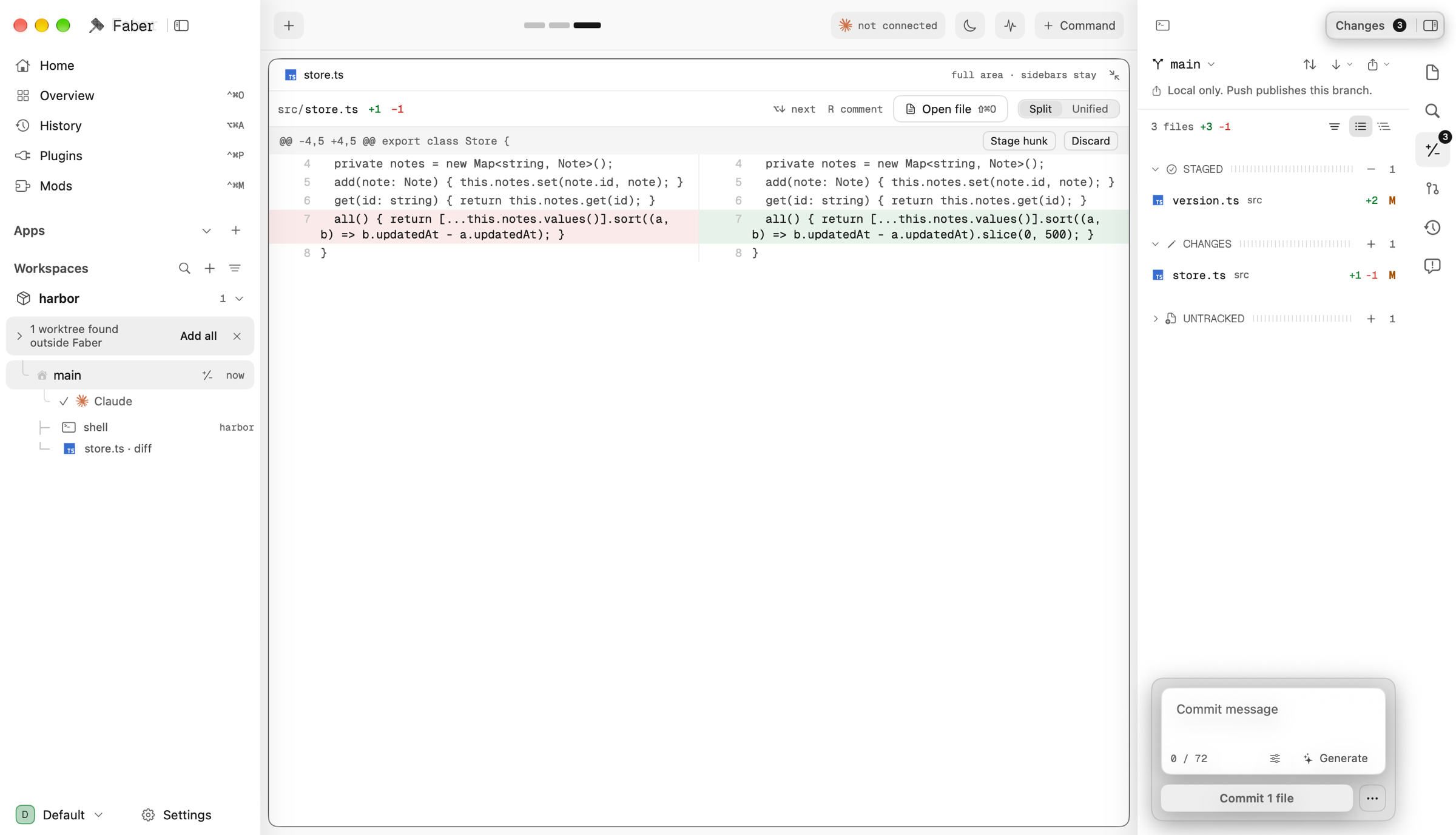
Changes
Branch row (switch, create, rename, delete with Undo), Fetch, Pull (fast-forward or rebase) and Push (force push with lease asks first), conflicts, staged and untracked changes, line and hunk staging, and a last checkpoint line. A diff can be split or unified, and can ignore whitespace.
Commit messages
Generate sends the staged diff to the agent chosen in Settings, Source Control, Commit messages, once, and fills the message.
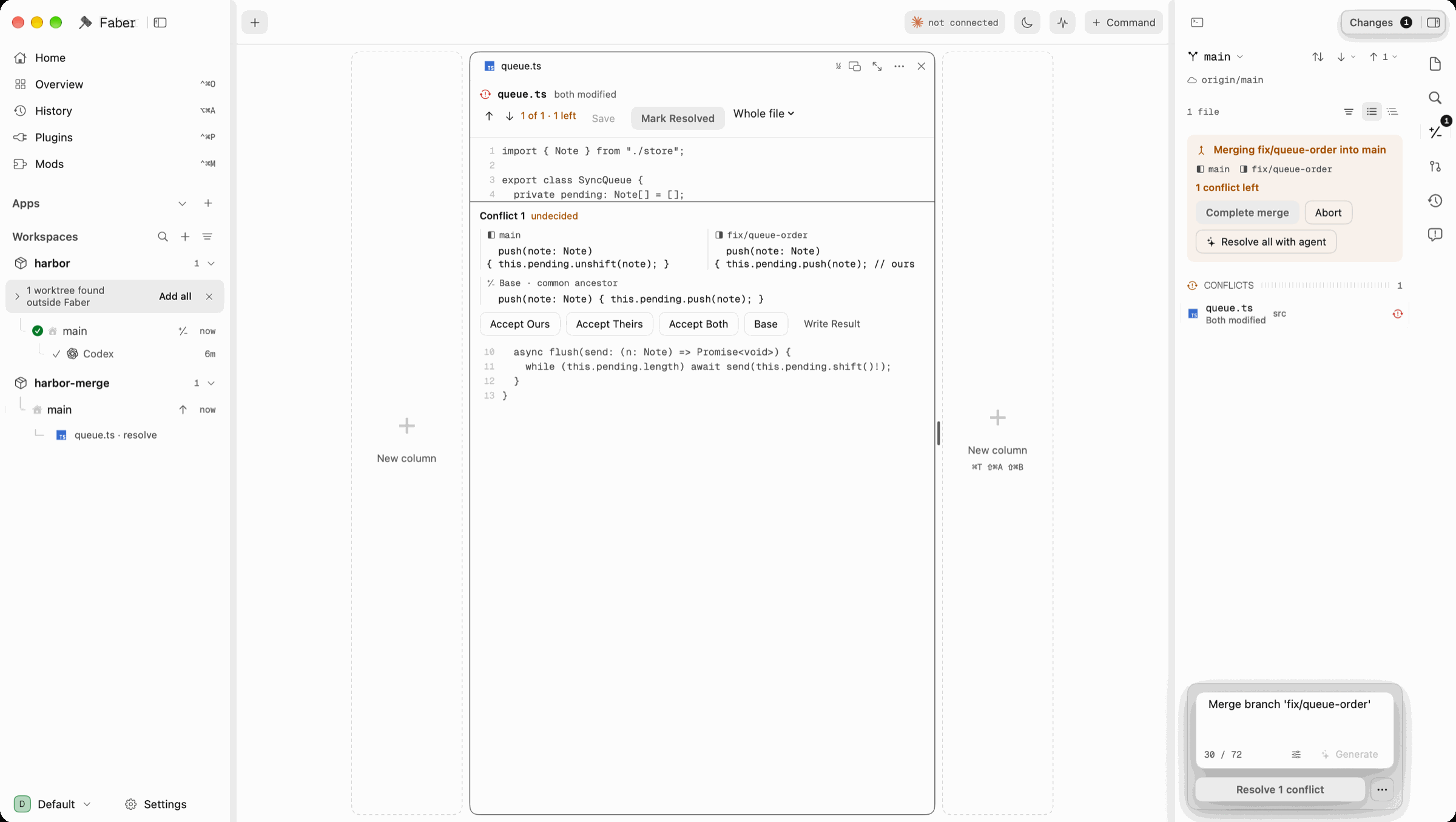
Conflicts and history
- A conflict resolver for merge conflicts.
- A commit graph with lanes, search and per-commit actions (check out, branch, tag, cherry-pick, revert, reset, compare).
- Interactive rebase with pick, reword, squash, fixup, drop and edit.
- Repository Tools: reflog, submodules, git-lfs, bisect, patches, config, signing.
- Blame in the code editor.
Pull requests
GitHub works through gh and GitLab through glab, picked from the git remote. Faber shows checks, review comments and a merge sheet that offers only the methods the repository allows. Merging changes the base branch and cannot be undone, so it asks.
Stacked pull requests
Stack on This Worktree makes a worktree whose branch starts at the parent’s tip, nested in the sidebar with a level chip. Its pull request targets the parent branch. faber worktree restack --all rebases the stack bottom first.
Issues
The Issues tab lists issues from GitHub, GitLab, Linear or Jira, and a new worktree can start from one with the issue as the first prompt.
Search
Find in Files uses git grep with plain text or regular expressions, match case, whole word and include and exclude globs.