 Faber
GitHub
Scheduled agents
The Schedules section in the footer of the Overview runs an agent by itself, in a fresh worktree or a fixed one, with a prompt.
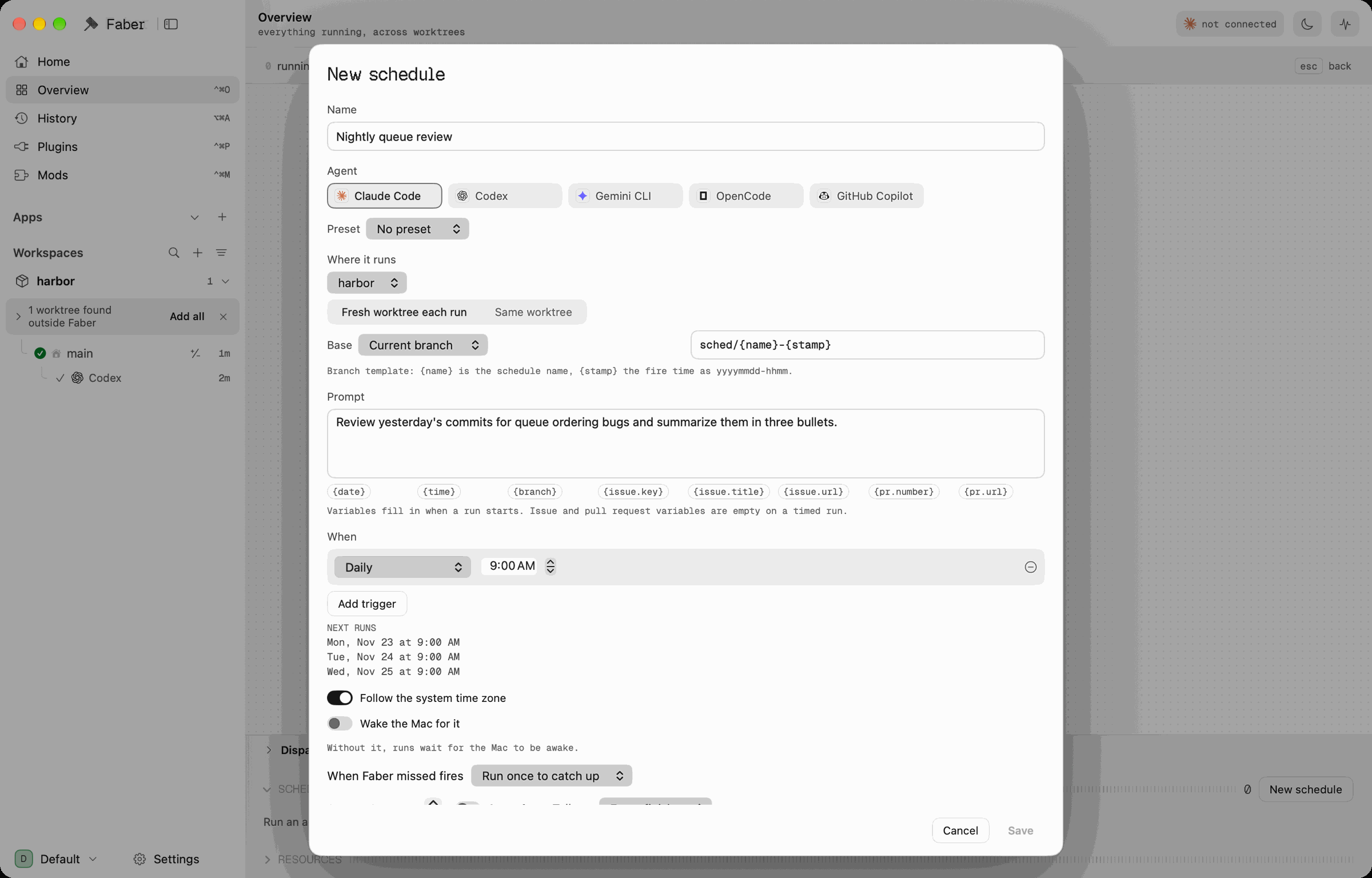
A schedule has
An agent (built in or custom, with an optional launch preset), a workspace, a prompt and one or more triggers.
| Trigger | Meaning |
|---|---|
| Every | Every N minutes (at least 5) or hours |
| Daily | At a time |
| Weekly | On chosen weekdays at a time |
| New issue | A new issue matching a filter |
| New pull request | A new PR |
| CI failed | Checks failed on a PR Faber watches |
Event triggers only fire while Faber is running. Faber asks the tracker or gh every five minutes, not in Low Power Mode, under serious heat, or offline. Each issue or PR starts a schedule once.
Runs
- A run starts in the background, in a branch named from the template
sched/{name}-{stamp}off a base you pick, and never takes focus. - Prompts can use
{date},{time},{branch},{issue.key},{issue.title},{issue.url},{pr.number}and{pr.url}. - At most 1 to 5 runs at once per schedule, with notification choices: every finish, failures only, or never.
- Missed fires are caught up at the next launch or wake, within seven days: run once, or skip.
While Faber is closed
For time triggers Faber writes a per-user LaunchAgent that starts Faber in the background at the next fire. Waking a sleeping Mac needs the power helper (the same one lid-closed mode uses), approved once in System Settings, Login Items. Without it, runs wait for the Mac to be awake.
CLI
faber schedule add nightly --trigger "daily 02:00" --prompt "Review yesterday's commits" --wake
faber schedule list
Also show, run, pause, resume and remove. Adding, running and removing need the Control terminals permission.